Use a clear authorized adult source with readable outlines and enough room for the intended gesture. Inspect fingers, overlapping objects, and the crop. The selected live model defines accepted file inputs; this page does not impose a separate format or size promise.
Sample
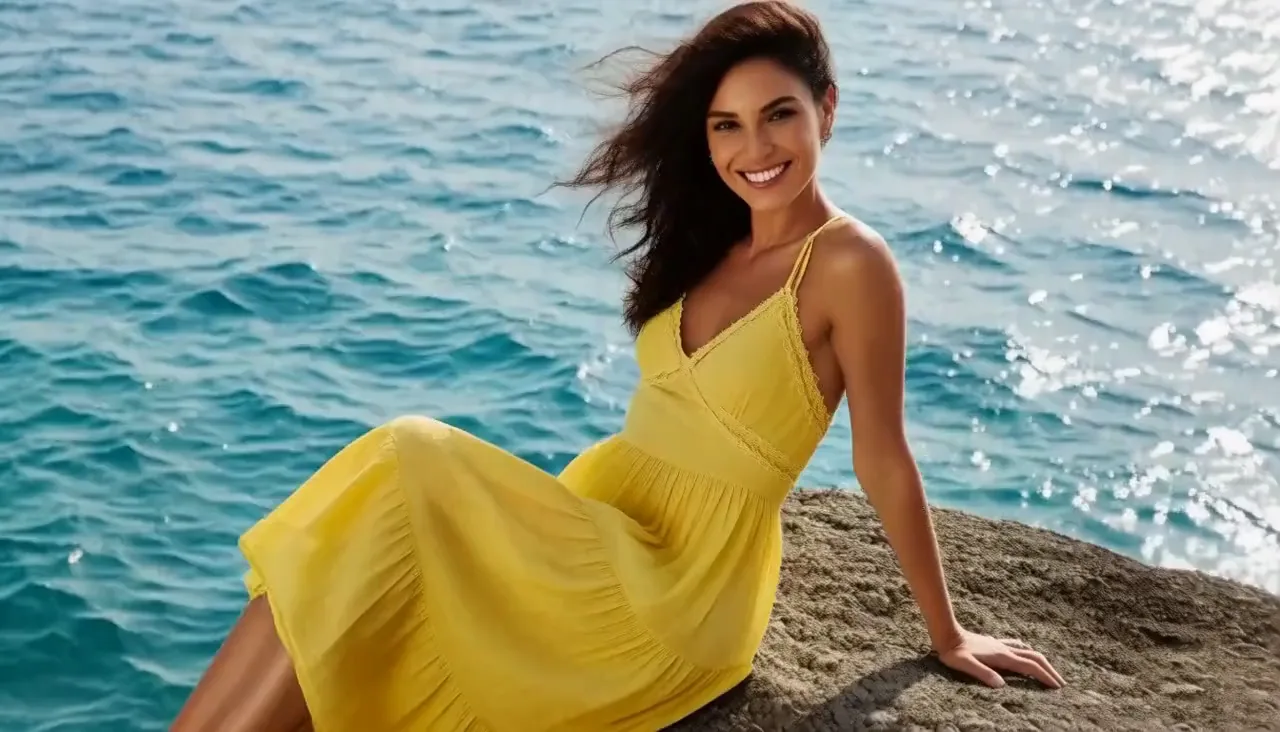
Prompt: Preserve the adult subject, yellow dress, coastal rocks and sea from the input. She gently raises her chin toward the sunlight, holds a relaxed pose and gives a small smile. The breeze moves a few strands of hair while the camera makes a restrained slow push-in. One continuous five-second fashion portrait with quiet sea ambience.
What makes an NSFW image to video source easier to animate?
Image to Video begins with an authorized adult still you can inspect. Check the crop, the space around hands, and any objects the subject may touch before writing motion. nsfwimg2video then asks for one visible change while the rest of the scene provides context. Generated video may still alter faces, anatomy, lighting, and the background.
How should I prepare the frame before directing motion?
A useful source is more than a high-resolution file: it makes the intended action physically legible. Confirm permission and clear adulthood, leave room where the movement should happen, and keep hands and outlines separated. Review these three choices before spending Credits on the first animation.
- 01
Is every depicted person an authorized adult?
Use a source you created or are authorized to process for this particular adult context. Public availability is not consent. Every depicted person must clearly be an adult.
- 02
Does the crop leave room for the action?
Look for separated hands, readable outlines, and space in the intended direction of movement. If a crop cuts through the moving area, prepare a better authorized source first.
- 03
Does the prompt describe only the intended change?
The image already contains wardrobe, location, and light. Put the motion first, identify camera behavior, and avoid asking the model to redesign the whole scene.
What can I learn from the Image to Video examples?
Each Image to Video sample was generated with MiniMax H3 LoRA from an original fictional-adult portrait and the motion prompt shown. Compare small turns, hair movement, gestures, and changing expressions. Select a sample above to watch its video. Apply a prompt, then upload your own authorized source image.
Swipe horizontally to explore the examples.
Sunlit Pause
PromptPreserve the adult subject, yellow dress, coastal rocks and sea from the input. She gently raises her chin toward the sunlight, holds a relaxed pose and gives a small smile. The breeze moves a few strands of hair while the camera makes a restrained slow push-in. One continuous five-second fashion portrait with quiet sea ambience.
A Turn in the Light
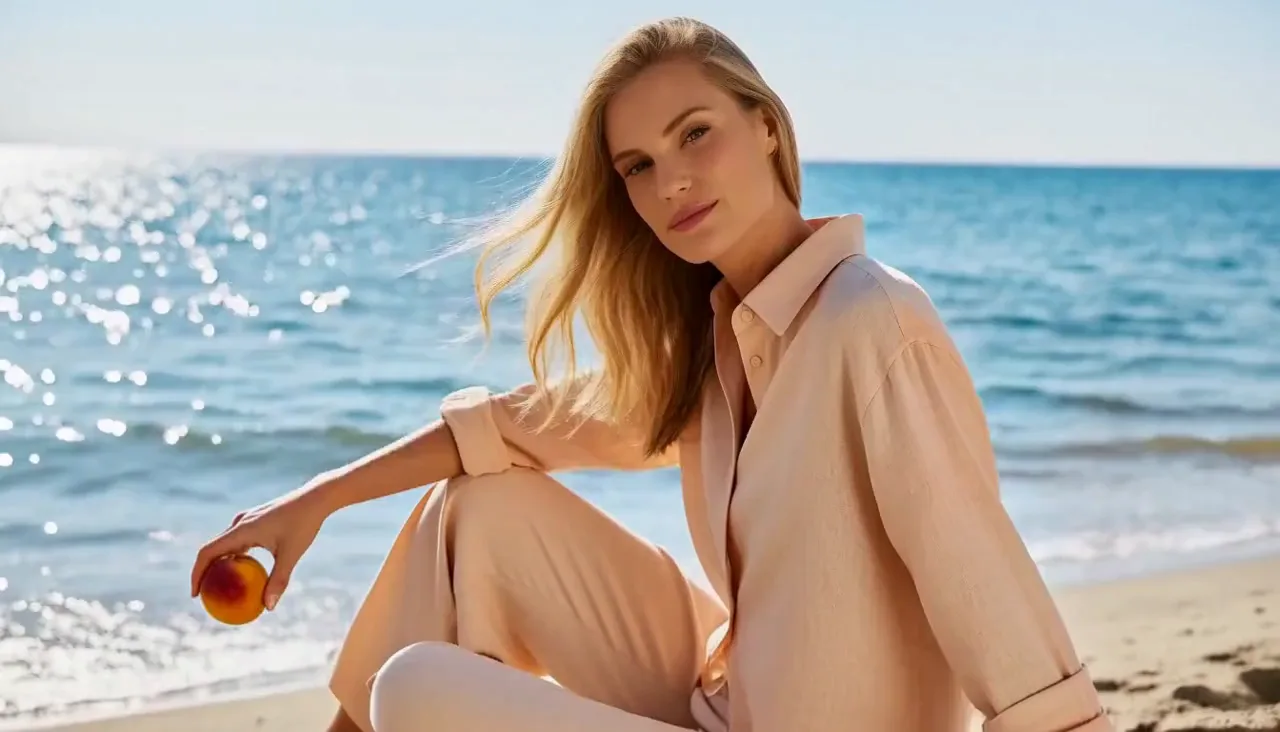
PromptPreserve the adult subject, peach linen outfit and beach from the input. Sunlight crosses her face as she turns gently toward the camera and brushes a strand of hair back. Keep the peach in her other hand. Relaxed smile, subtle movement, steady framing, one continuous five-second shot with quiet seaside ambience.
The Velvet Box
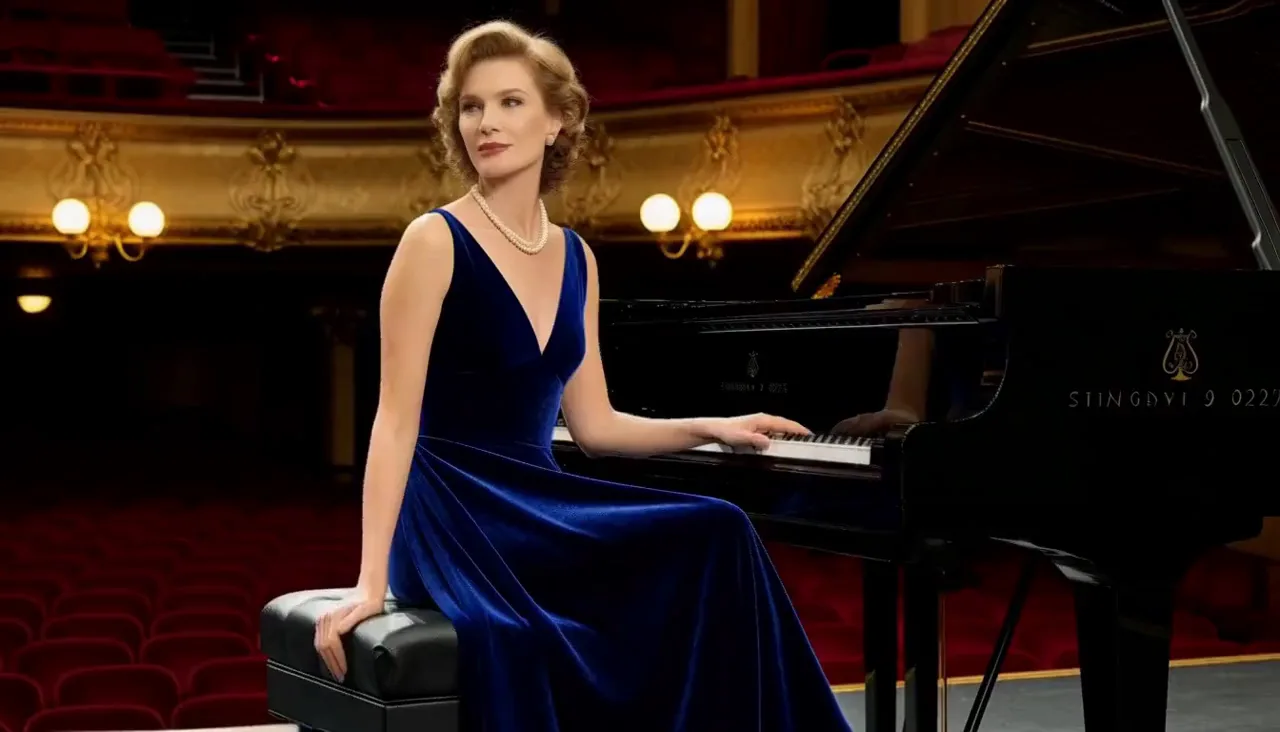
PromptPreserve the adult subject, opaque velvet dress, pearls and grand piano from the input. She fans herself gently with a small hand fan, glances toward the theater box and smiles. Warm chandelier reflections, restrained camera drift, realistic hand and fabric motion, one continuous five-second shot with quiet hall ambience.
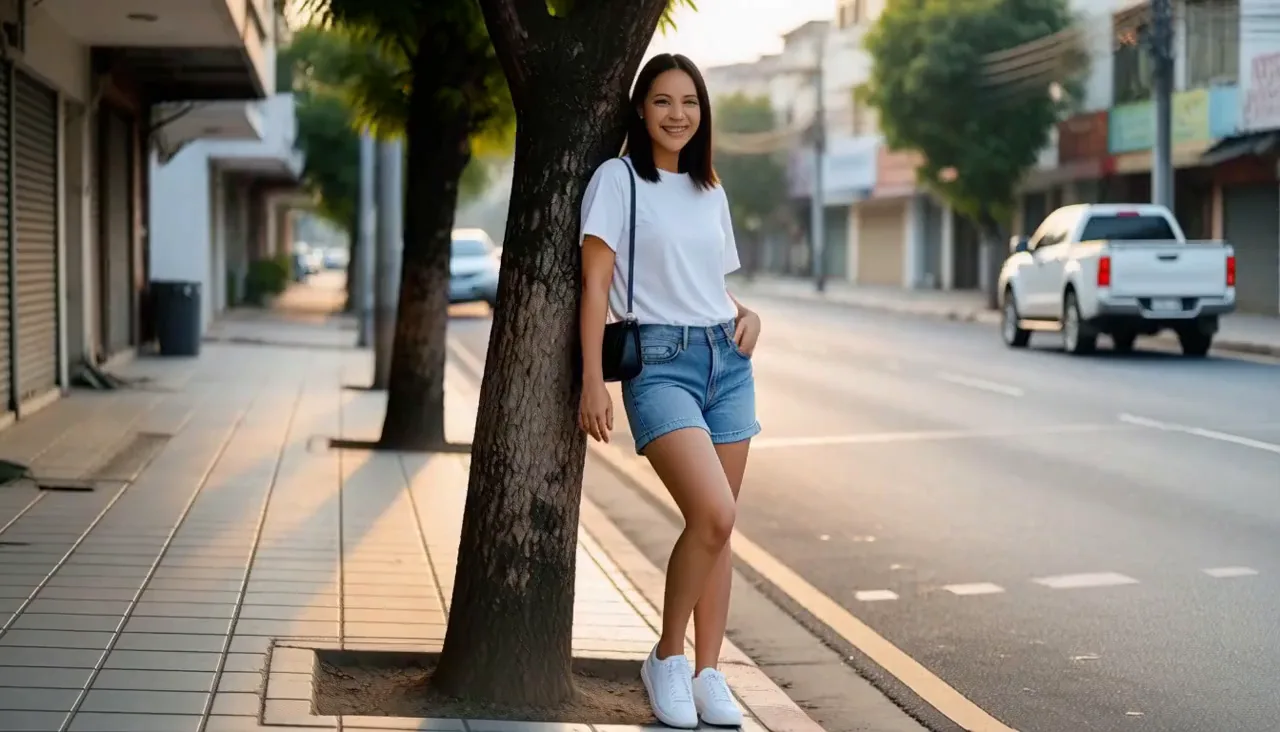
Golden Street Motion
PromptPreserve the adult subject, white T-shirt, denim outfit, tree and street from the input. She lowers her hand naturally, turns slightly toward the sunlight and gives a bright relaxed smile. Small hair movement in a light breeze, slow camera drift, one continuous five-second golden-hour street portrait.
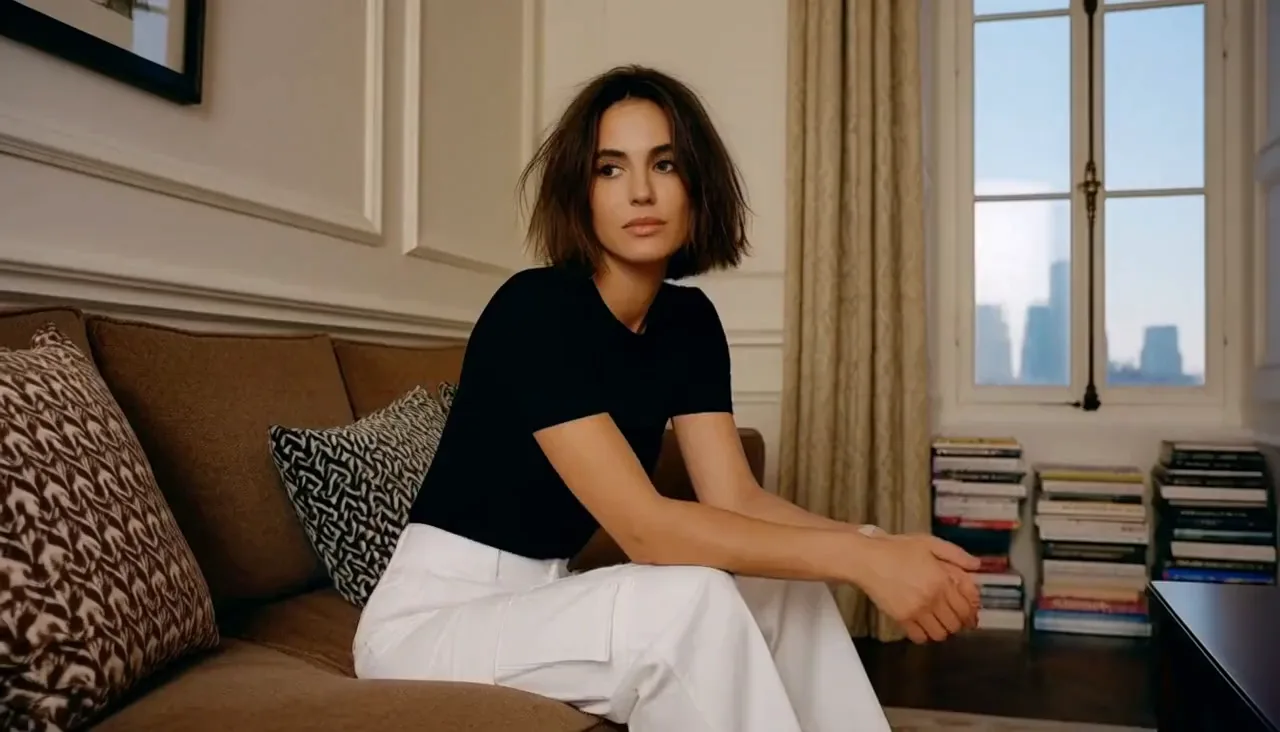
Window Smile
PromptPreserve the adult subject, black top, white trousers and living-room setting from the input. Seated beside the window with the skyline in the distance, she turns toward the camera, smiles warmly and offers a friendly wave. Keep clothing in place and posture natural, gentle camera push-in, one continuous five-second shot.
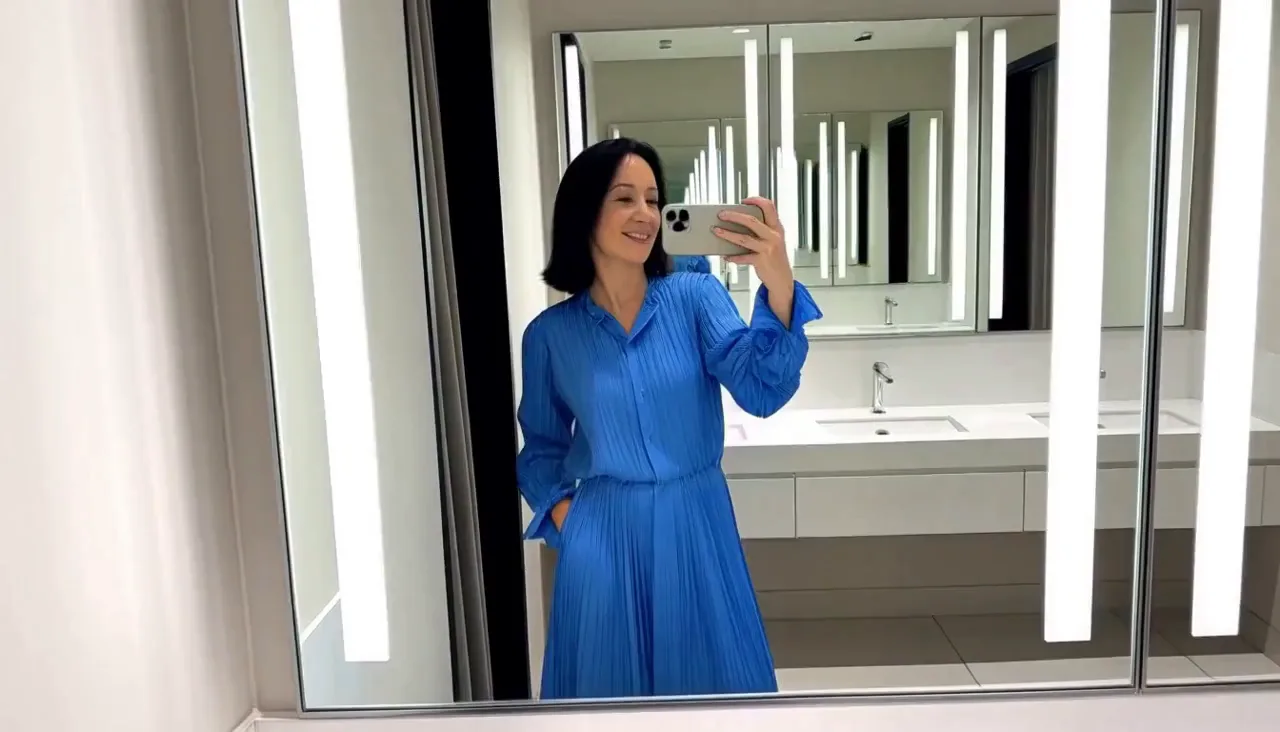
Mirror Greeting
PromptPreserve the adult subject, fully opaque outfit and dressing-room mirror from the input. She tilts her head slightly, adjusts the angle of the phone and smiles toward the reflection. Realistic hands and mirror geometry, soft daylight, minimal camera movement, one continuous five-second portrait.
Which Image to Video settings follow the source?
Choose from the live model’s input requirements and output controls. A longer duration or larger resolution cannot repair an unclear hand, hidden body part, or conflicting motion brief. Inspect the complete Credit estimate after the entire setup is selected, because each submitted request is a separate generation.
| Goal | Focus on | Why it helps |
|---|---|---|
| Preserve the intended crop | Supported framing close to the source | A very different output shape may require the model to reinterpret unseen areas. |
| Test the main movement | A suitable short duration in the live options | Evaluate whether the chosen action reads before requesting a more elaborate clip. |
| Resolve a source problem | The image before the motion settings | Use a clearer authorized photograph or image edit if the moving contour is obscured. |
| Compare two motion ideas | The same source and model setup | Changing only the action gives the next result a clear evaluation question. |
How do I diagnose the frame before changing the prompt?
Watch the opening and final frames at a similar size. Decide whether the problem was visible in the source or appeared only during motion. Change one factor so the next request tests a specific hypothesis, and keep the source and model setup stable while comparing results.
- Hands merge into nearby objects
- Choose a source with clear separation. A motion prompt cannot reliably recover missing contours from an ambiguous image.
- The clip keeps moving past the intended gesture
- Describe the end position and a pause. Remove additional actions from the same instruction.
- A tight portrait becomes a new angle
- Request a small subject motion with a stationary camera instead of an orbit around unseen detail.
- The result changes wardrobe or scenery
- Stop restating the scene with new adjectives. Direct the motion and keep any preservation request short and consistent.
What are common Image to Video questions?
Practical answers about live settings, Credits, account access, and consent-first creation. Each answer names what to check in the source or the live Workspace before submitting another request, and explains which limits are creative guidance rather than guaranteed model behavior.
Usually start by describing what should change. Rewriting the entire setting can accidentally request a redesign. Add a short camera instruction and only the visual constraints that matter for judging the movement.
Exact preservation is not guaranteed. Review the face, anatomy, clothing, and background in the generated clip, especially when the camera reveals areas absent from the source. Do not present an unreviewed output as a faithful record of a person.
Only when you have the rights and informed consent required for the processing and intended use. A public profile, a familiar face, or an image download does not establish authorization for adult AI creation.
This workflow starts with an image. It does not promise direct video upload, timeline extension, or a seamless continuation from a previous clip; the extender guide explains the still-frame alternative.
Inspect the live Image to Video Workspace for the available setup and current estimate. Submission requires signing in. Compare the complete selection before each request rather than assuming a fixed cost from an example.
Which frame and movement should I prepare next?
Return to the Image to Video form with an authorized adult source, one motion brief, and the live setup you have reviewed. Confirm clear adulthood and consent, check the Credit estimate, and submit only when the source and the intended ending are both visible.
Maintained by the nsfwimg2video editorial team · Last reviewed